You want to control your lights from your phone, set schedules, or use voice commands. The first decision isn’t which brand—it’s whether to replace the bulbs or the wall switches. Both get the job done, but they solve different problems and come with different tradeoffs in cost, reliability, and long-term flexibility. Here’s what you need to know before buying anything.
How Each Works
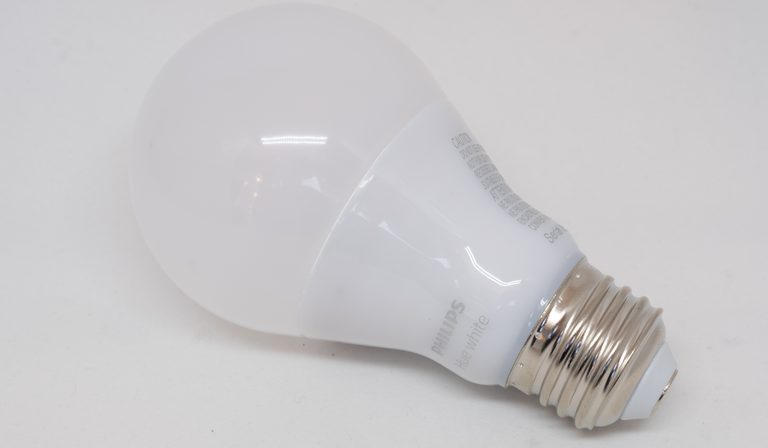
Smart bulbs are self-contained. The electronics live inside the bulb itself. You screw it into any standard socket, keep the existing wall switch on, and control the bulb via Wi‑Fi, Zigbee, or Bluetooth. No wiring changes needed. You can dim, change color temperature, or set schedules per bulb.
Smart switches replace your existing wall switch. They connect to your home’s wiring and control the power to the entire light fixture (or group of fixtures) on that circuit. The bulbs themselves remain dumb. The switch handles the smarts—on/off, dimming, and sometimes scene control. Installation requires working with line voltage, and you often need a neutral wire in the switch box.
The core difference: bulbs give you per-lamp control and features like color; switches give you whole-fixture control and keep your existing bulbs.
Cost Comparison
Smart bulbs are cheap per unit. A basic white-dimmable smart bulb runs $10–$20. A color-changing bulb is $20–$40. If you have a room with four lamps, that’s $40–$160 in bulbs. No installation cost if you can reach the socket.
Smart switches cost more per unit: $25–$60 for a standard dimmer or on/off switch. But one switch controls every bulb on that circuit. For a ceiling fan light with five bulbs, one $40 switch replaces five $15 bulbs—$40 vs $75. However, installation may require an electrician if you’re not comfortable with wiring. Hiring someone adds $100–$200 per switch.
Hidden costs: Smart bulbs need the wall switch to stay on. If someone flips the switch, the bulbs go offline until you turn it back on. That’s a real friction point. Smart switches avoid that problem but may require a hub (adds $30–$100) if they use Zigbee or Z‑Wave instead of Wi‑Fi.
Tradeoff: Bulbs are cheaper upfront for small setups; switches are more economical for whole-room control, especially if you have multiple bulbs per fixture. But the switch’s installation cost can wipe out savings if you only need one or two.
Control & Convenience
Smart bulbs give you granular control. You can dim each bulb individually, change color temperature from warm to cool, or set RGB colors for ambiance. Most apps let you group bulbs into rooms or scenes. Voice assistants work fine. The downside: you lose physical control unless you buy a separate remote or use a smart button. The existing wall switch becomes a master kill switch—flip it off and all smarts vanish.
Smart switches preserve the physical switch experience. Guests and family members can turn lights on/off without an app. The switch works exactly like a normal switch, just with added smarts. You can still set schedules, dim, and use voice commands. But you lose per-bulb control. If you want color, you’re stuck with whatever bulb you install. Most smart switches only dim (if the bulb supports dimming) and don’t change color temperature.
Tradeoff: Bulbs win for flexibility and features; switches win for everyday usability and guest-friendliness. If you have non-tech-savvy household members, switches are almost always better.
Reliability & Ecosystem Lock‑in
Smart bulbs are easy to replace. If a bulb fails, you unscrew it and screw in a new one. If you want to switch from Wi‑Fi to Zigbee, you swap bulbs. But bulbs are tied to their ecosystem. A Philips Hue bulb works best with the Hue hub; a Wi‑Fi bulb from a no‑name brand may lose support after a year. Cloud‑dependent bulbs can become bricks if the company shuts down servers. Local‑control bulbs (Zigbee, Z‑Wave, Thread) are more reliable but require a hub.
Smart switches are harder to replace. They’re wired into your home. If a switch fails, you have to turn off the breaker, remove the switch, and install a new one. If you change ecosystems (e.g., from Wi‑Fi to Matter), you may need to rewire. However, switches are generally more reliable because they don’t depend on the bulb’s internal electronics. A dumb bulb lasts years; a smart switch can outlast several generations of bulbs.
Ecosystem lock‑in: Both lock you in, but switches are more permanent. If you sell your house, you can take smart bulbs with you. Smart switches stay (or you replace them with dumb switches before listing). Bulbs are portable; switches are part of the house.
Tradeoff: Bulbs are lower risk for renters or frequent upgraders. Switches are better for long‑term homeowners who want a stable, integrated system.
Use Cases: When to Choose Each
Choose smart bulbs when: - You rent and can’t modify wiring. - You want color or tunable white light. - You have lamps or fixtures with a single bulb (table lamps, floor lamps). - You only need to automate a few lights. - You’re okay with the wall switch being “always on” and using app/voice for control.
Choose smart switches when: - You own your home and can wire safely (or pay an electrician). - You want to control multiple bulbs on one circuit (ceiling lights, chandeliers, recessed cans). - You want physical switch control to remain intuitive for everyone. - You prefer a cleaner look (no visible smart bulb) and don’t need color. - You want to avoid the “switch off kills smarts” problem.
Hybrid Approach: Best of Both?
You can install a smart switch that controls the circuit and use smart bulbs on that same circuit. This gives you physical control plus per‑bulb color and dimming. But it’s expensive and adds complexity. The switch must be set to always‑on (or you risk cutting power to the bulbs). You also need to coordinate scenes between the switch and the bulbs—two systems that may not talk to each other. Unless you really need color in a fixture controlled by a switch, this is usually overkill.
A simpler hybrid: use smart switches for overhead lights and smart bulbs for lamps. That covers the most common scenarios without doubling up.
Closing Recommendation
If you’re a renter, only need a few lights, or want color, go with smart bulbs. If you own your home, want whole‑room control, and value physical switches, go with smart switches. For most people, a mix works best: switches for ceiling lights, bulbs for lamps. Start with one or two devices, test the workflow, then expand.
This page contains affiliate links. If you buy through these links, we may earn a small commission at no extra cost to you.