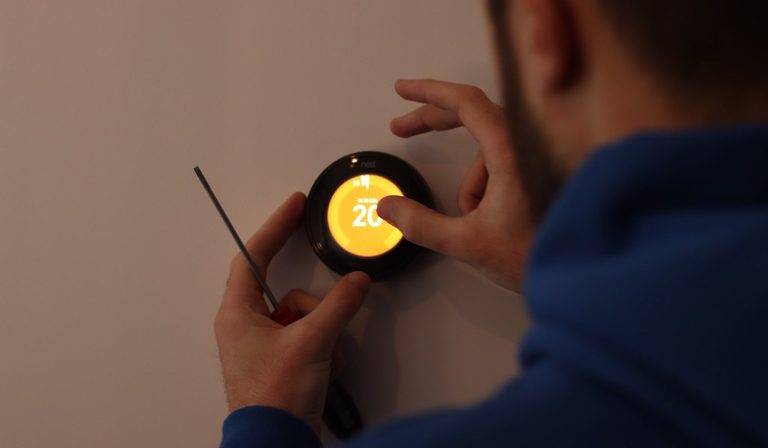
Smart thermostats have been around long enough that the hype has settled. In 2026, the market is mature, but that doesn't mean every option is a good buy. The key tradeoffs haven't changed: price versus features, ecosystem lock-in versus flexibility, and reliability versus gimmicks. This comparison breaks down the tiers—budget, mid-range, and premium—so you can decide where your money is actually well spent.
The Budget Tier ($50–$100): Basic Remote Control, No Learning
Budget smart thermostats are essentially Wi-Fi-enabled programmable thermostats with a decent app. They let you adjust temperature from your phone, set schedules, and sometimes use geofencing. Brands like Honeywell Home, Emerson, and Wyze dominate this space.
What you get: Simple scheduling, remote access, and compatibility with Alexa or Google Assistant (usually via cloud). Most require a C-wire for power—if your old thermostat didn't have one, installation gets trickier. Some models use power stealing, but that can cause issues with older HVAC systems.
Tradeoffs: No learning algorithms. No remote sensors (or very limited support). The app experience is often clunky, and firmware updates are rare. Cloud dependency is high—if the company's servers go down, your schedule may stop working. Ecosystem integration is basic: you can say "set temperature to 72," but forget about complex automations like "turn off heat when no one is home for 30 minutes."
Who should buy: Renters, people with a single zone and simple HVAC, or anyone who just wants to control their thermostat from a phone without spending much. Avoid if you have a heat pump, multi-stage system, or want energy reports that actually help you save.
The Mid-Range Tier ($100–$200): Learning, Sensors, and Real Savings
This is the sweet spot for most homeowners. The two dominant players here are ecobee (their "Enhanced" or "Lite" models) and Google Nest (the Learning Thermostat, now often discounted into this range). Both have been around for years, and their reliability is proven.
What you get: Learning algorithms that adapt to your schedule (Nest) or occupancy-based scheduling with remote sensors (ecobee). Geofencing works well on both. You get energy reports that show usage patterns and suggest tweaks. Both support Alexa, Google Assistant, and Apple HomeKit (ecobee supports HomeKit directly; Nest requires a bridge for HomeKit, but Matter support is rolling out). Remote sensors let you prioritize a specific room (e.g., bedroom at night) or average temperatures across zones.
Tradeoffs: You're locked into the brand's ecosystem for advanced features. Nest's learning can be slow and sometimes frustrating if your schedule is irregular. ecobee's sensors are sold separately (~$40 each) and require batteries. Both require a C-wire for reliable operation—Nest's power-stealing works but can cause issues with some systems. No subscription needed for core features, but ecobee's "Smart Security" or "SmartSensors" extras are upsells.
Who should buy: Homeowners with a typical forced-air system (gas, electric, heat pump) who want actual energy savings (10–15% on heating/cooling is realistic). If you have multiple zones, buy one thermostat per zone—don't expect a single unit to handle a whole house with one sensor.
The Premium Tier ($200–$350): Design, Multi-Sensor Arrays, and Pro Install
Premium thermostats are for people who want the best industrial design, the most sensors, or integration with whole-home systems. Think ecobee Premium, Nest Learning Thermostat (4th gen, if released by 2026), or high-end models from brands like Sensi (Touch 2) or Radio Thermostat.
What you get: Larger, higher-resolution touchscreens. Built-in occupancy sensors (radar or PIR) that detect presence more accurately. Multiple remote sensors (up to 32 on ecobee). Advanced scheduling with "follow me" modes that adjust based on which rooms are occupied. Full Matter support (in most 2025+ models), meaning they work with any smart home platform without a bridge. Some include built-in Alexa or Google Assistant speakers.
Tradeoffs: The price is hard to justify unless you have a large home with multiple zones or a complex HVAC system (e.g., dual-fuel heat pump with backup). The extra sensors and features add complexity—setup takes longer, and you may need to tweak settings for weeks. Professional installation is often recommended (add $100–$200). The learning curve is steeper, and if you're not tech-savvy, you'll likely ignore half the features.
Who should buy: Enthusiasts with multi-zone homes, people who want a thermostat that doubles as a smart speaker, or anyone who values aesthetics (the Nest's rotating dial is still the best-looking thermostat). Skip if you have a simple single-zone home—you're paying for features you won't use.
Ecosystem Lock-In and the Matter Reality
Every smart thermostat ties you to an ecosystem. Google Nest works best with Google Home, ecobee with HomeKit or Alexa, and budget models often rely on their own app with limited third-party integration. In 2026, Matter 1.2+ supports thermostats, but adoption is uneven.
The tradeoff: Matter promises universal compatibility, but early implementations are buggy. Some features (like remote sensors or advanced schedules) may not work over Matter—you still need the brand's app. If you're heavily invested in Apple HomeKit, ecobee is the safest bet. If you use Google Home, Nest is seamless. Alexa works with almost everything, but skill quality varies.
What to do: Decide your smart home platform first, then pick a thermostat that integrates natively. Don't rely on Matter as a magic bullet—test compatibility before buying. Avoid no-name brands that promise "works with everything" but have poor app support and security updates.
Installation and Compatibility Gotchas
The biggest hidden cost is installation. Most smart thermostats require a C-wire (common wire) to power the thermostat. If your old thermostat has only two wires (R and W for heat, or R and Y for cool), you'll need to run a new wire or use an adapter (ecobee includes one, Nest has a power connector). Heat pumps, multi-stage systems, and dual-fuel setups require specific support—check the manufacturer's compatibility tool before buying.
Cost: DIY installation is free but risky if you wire incorrectly (blown fuse or damaged HVAC). Professional install runs $100–$200. Budget thermostats often have fewer compatibility issues because they're simpler, but they also lack features for complex systems.
Energy Savings: Real Numbers, Not Hype
The industry claims 10–23% savings on heating and cooling. In practice, expect 10–15% if you use learning or geofencing consistently. A study by Nest found average savings of 10–12% on heating and 15% on cooling. ecobee's own data shows similar numbers with remote sensors.
The catch: Savings depend on your habits. If you already manually adjust your thermostat when you leave, a smart thermostat won't save much. If you leave it at 72°F all day, you'll see bigger gains. Payback period is 1–3 years depending on your climate and energy costs. Budget thermostats with basic scheduling can achieve similar savings if you set them correctly—the learning algorithms just automate what you could do manually.
Closing Recommendation
For the vast majority of homeowners, a mid-range thermostat from ecobee or Google Nest is the best value. You get reliable learning, remote sensors, and good ecosystem support without paying for features you'll never use. Budget models are fine for renters or simple setups, but expect a worse app and no learning. Premium models only make sense if you have a large home, complex HVAC, or want a design statement. Avoid no-name brands—the app will stop being updated within a year, and security patches are nonexistent.
This page contains affiliate links; if you purchase through these links, we may earn a commission at no extra cost to you.